0 - Evaluation algorithm
How does the plotting module works? Conceptually, it is very simple:
With
lambdifyit converts the symbolic expression to a function, which will be used for numerical evaluation.It will evaluate the function over the specified domain. Usually, the default evaluation modules are Numpy and Scipy.
The numerical data can be post-processed and later plotted.
A meshing algorithm creates the domain: it divides the specified range into
n points (according to some strategy, for example linear or logarithm)
over which the function will be evaluated.
The numerical evaluation is subjected to the limitations of a particular module. There are some SymPy functions that, once lambdified, cannot be evaluated with the specified module (for example, NumPy/Scipy). In these occasions, mpmath or SymPy must be used, which are generally slower.
In this tutorial we are going to explore a few particular cases, understanding what’s going on and attempt to use different strategies in order to obtain a correct visualization. In particular, when discontinuities are present, we can correctly visualize them using two different strategies:
The
excludekeyword argument, which accepts a list (or array) of exclusions points: these are domain points in which ananvalue will be inserted instead of the function’s value.We can also play with
detect_polesandepsin order to detect singularities. There are 2 singularity-dection algorithms:detect_poles=True: this is extremely simple, as it doesn’t analyze the symbolic expression in any way: it only relies on the gradient of the numerical data, thus it is a post-processing step. This means than the user must know in advance if a function contains one or more singularities, eventually activating the detection algorithm and playing with the parameters in order to get the expected result. This is a try-and-repeat process until the user is satisfied with the result.detect_poles="symbolic", which analyzes the symbolic expression. It assumes that the expression can be easily split into a numerator and denominator. Then, it analyzes where the denominator goes to zero and it inserts appropriate exclusion point.
>>> from sympy import *
>>> from spb import *
>>> x = symbols("x")
Example - Smoothness
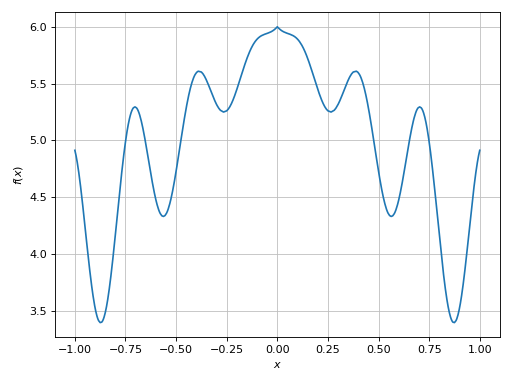
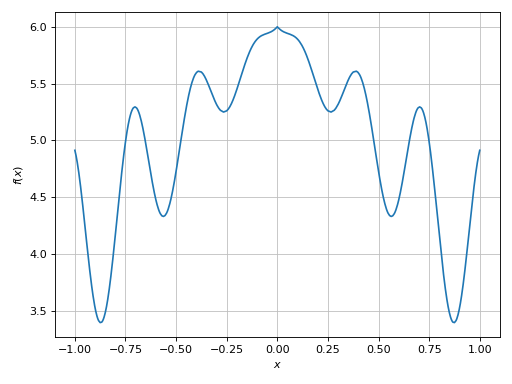
>>> expr = x * sin(20 * x) - Abs(2 * x) + 6
>>> plot(expr, (x, -1, 1))
Plot object containing:
[0]: cartesian line: x*sin(20*x) - 2*Abs(x) + 6 for x over (-1, 1)
(Source code, png)
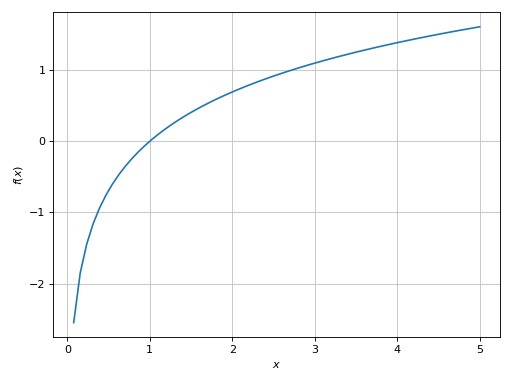
In the provided range, the function has a relatively low frequency, so the evaluation over the equally spaced number of discretization points (using the default options) was able to create a smooth plot.
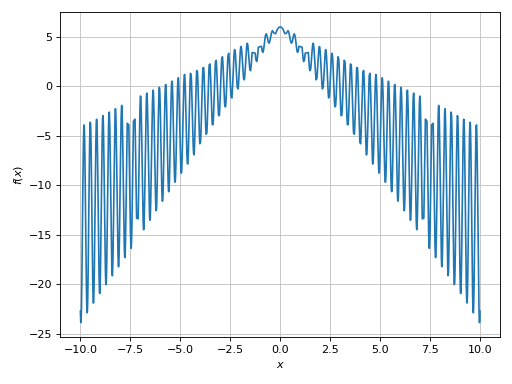
Let’s try to use a wider plot range:
>>> plot(expr, (x, -15, 15))
Plot object containing:
[0]: cartesian line: x*sin(20*x) - 2*Abs(x) + 6 for x over (-15, 15)
(Source code, png)
This is a case of mid-to-high frequencies (in relation to the plotting range used). We can see a few “missed” spikes. If we zoom into the plot, we will also see a very poor smoothness. To improve the output we can increase the number of discretization points. By default, the numerical evaluation is performed with Numpy arrays, so we are going to get relatively good performances:
>>> plot(expr, (x, -15, 15), n=10000)
Plot object containing:
[0]: cartesian line: x*sin(20*x) - 2*Abs(x) + 6 for x over (-15, 15)
(Source code, png)
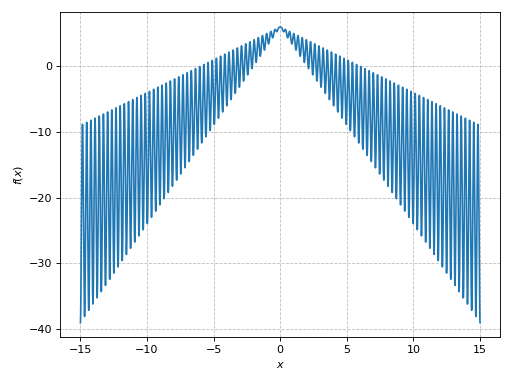
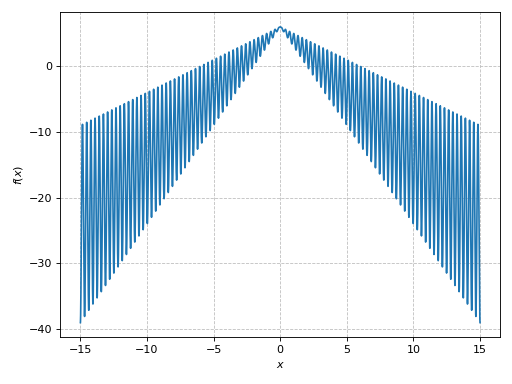
The resulting plot is much better: by zooming into it we will see a nice smooth line.
Example - Discontinuities 1
Let’s execute the following code:
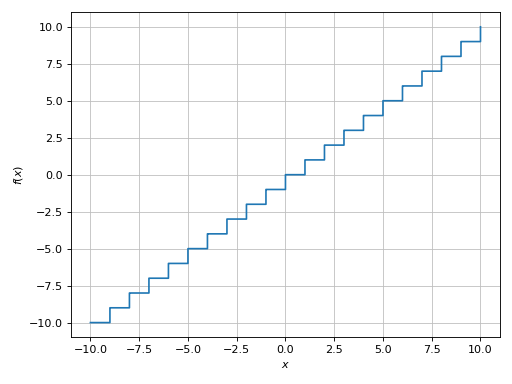
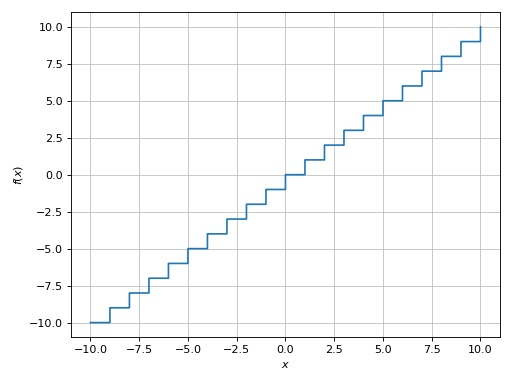
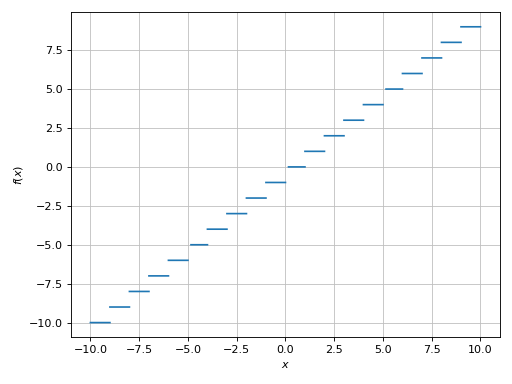
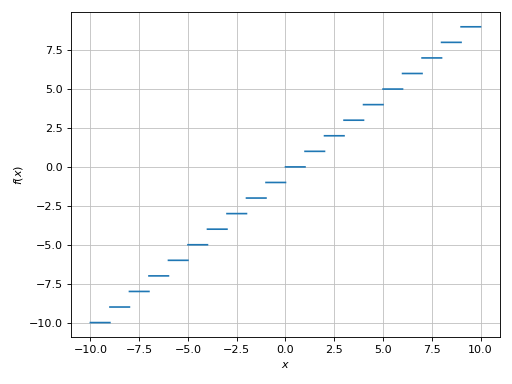
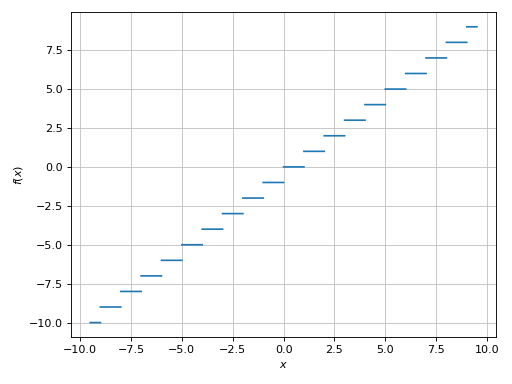
>>> plot(floor(x))
Plot object containing:
[0]: cartesian line: floor(x) for x over (-10, 10)
(Source code, png)

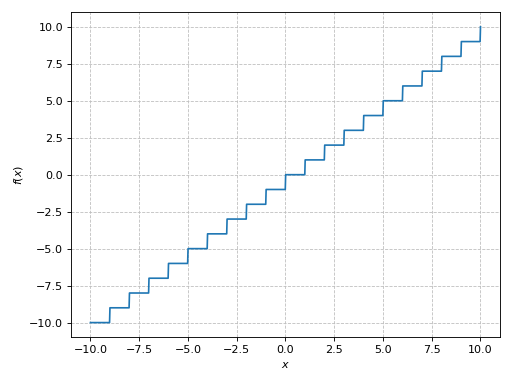
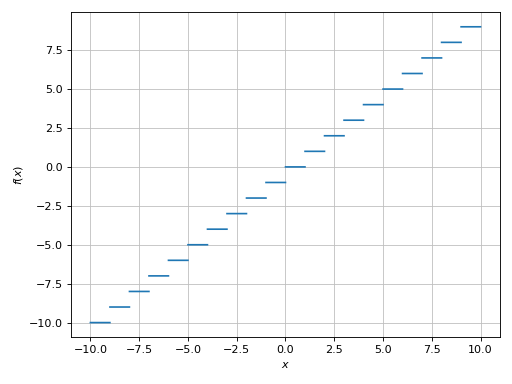
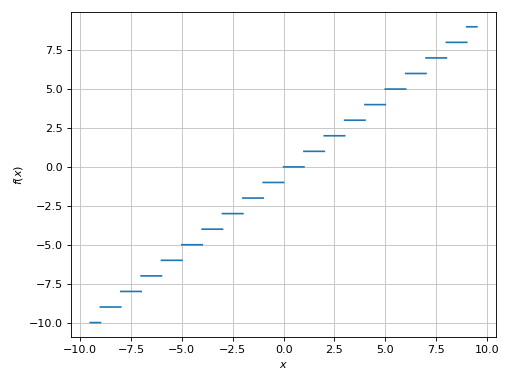
Because we are dealing with a floor function, there are discontinuities
between the horizontal segments, which are currently not rendered well: the
vertical segments should not be visible. To address this issue we can provide
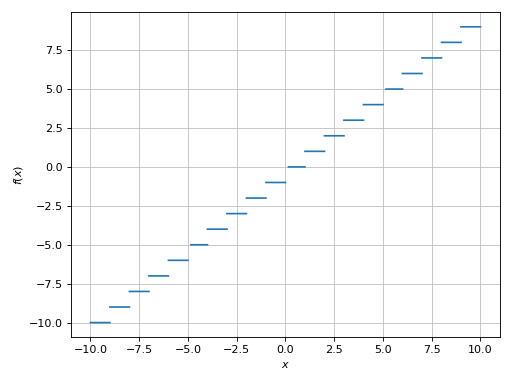
exclusions points: these are domain points in which a nan value will be
inserted instead of the function’s value. The result is going to be a nice
plot with discontinuities:
>>> plot(floor(x), exclude=list(range(-10, 11)))
Plot object containing:
[0]: cartesian line: floor(x) for x over (-10, 10)
(Source code, png)
Example - Discontinuities 2
Let’s try another example of a function containing the floor function:
>>> expr = tan(floor(30 * x)) + x / 8
>>> plot(expr)
Plot object containing:
[0]: cartesian line: x/8 + tan(floor(30*x)) for x over (-10, 10)
(Source code, png)
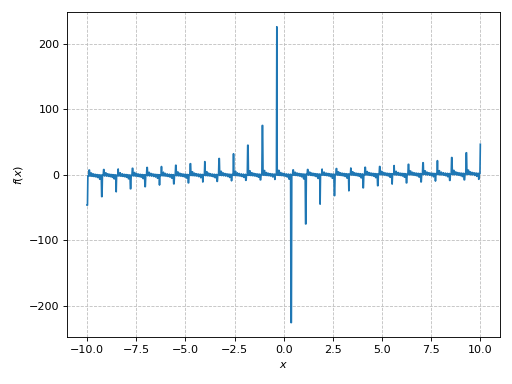
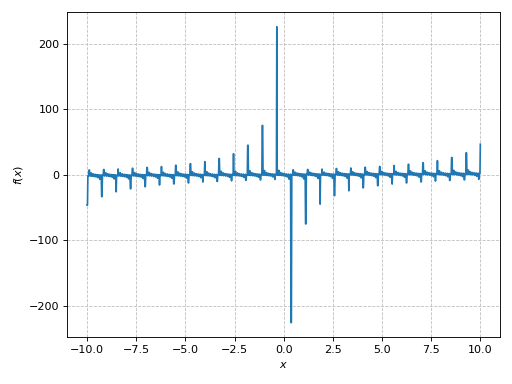
There is a wide spread along the y-direction. Let’s limit it:
>>> plot(expr, ylim=(-10, 10))
Plot object containing:
[0]: cartesian line: x/8 + tan(floor(30*x)) for x over (-10, 10)
(Source code, png)
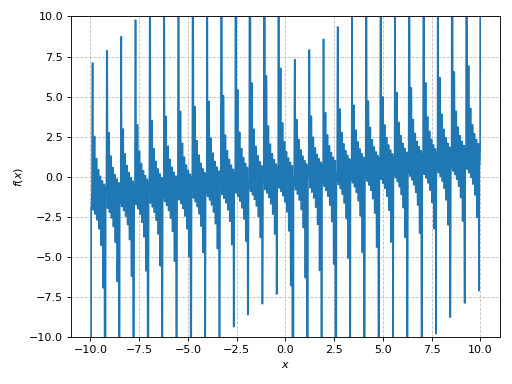
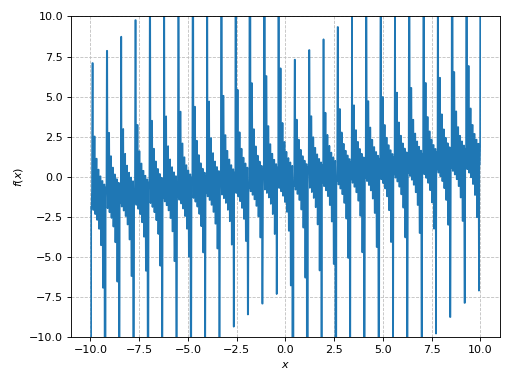
Let’s remember that we are dealing with a floor function, so ther should be
distinct segments in the plot. We can analyze the argument of the floor
function in order to find the exclusion points:
>>> import numpy as np
>>> points = np.arange(-10, 11, 1/30)
>>> plot(expr, ylim=(-10, 10), exclude=points)
Plot object containing:
[0]: cartesian line: x/8 + tan(floor(30*x)) for x over (-10, 10)
(Source code, png)
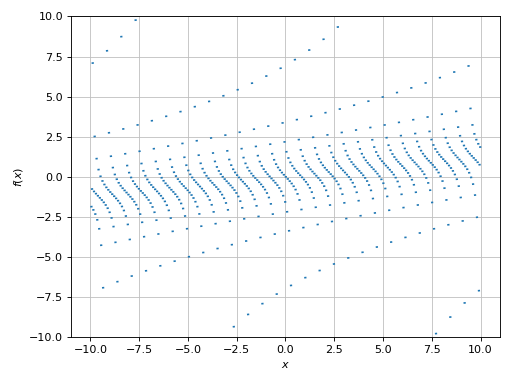
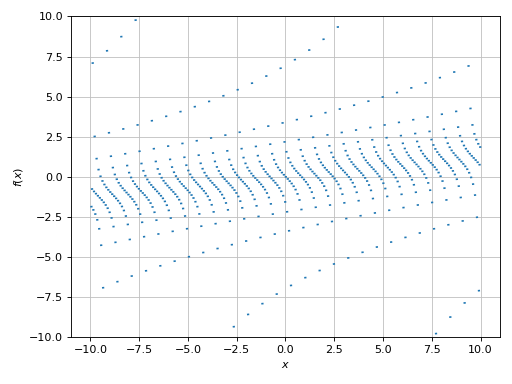
But if the argument of the floor function is difficult to analyze, we can
fall back to the detect_poles=True algorith, which can also be used to
detect jumps in the numerical data:
>>> plot(expr, ylim=(-10, 10), n=1e04, detect_poles=True)
Plot object containing:
[0]: cartesian line: x/8 + tan(floor(30*x)) for x over (-10, 10)
(Source code, png)
When using detect_poles=True, it is often a good idea to increase the
number of discretization points.
Example - Discontinuities 3
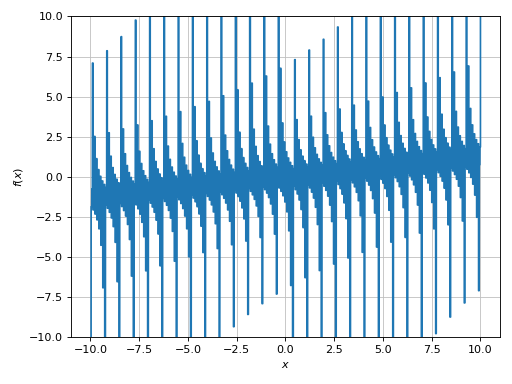
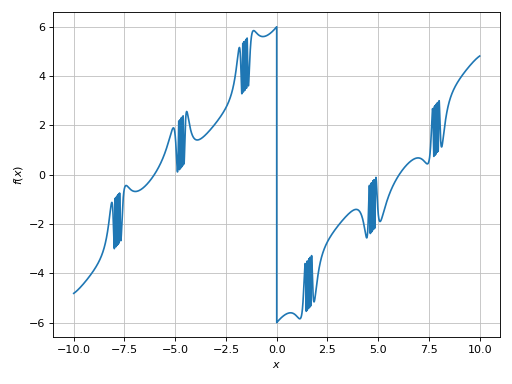
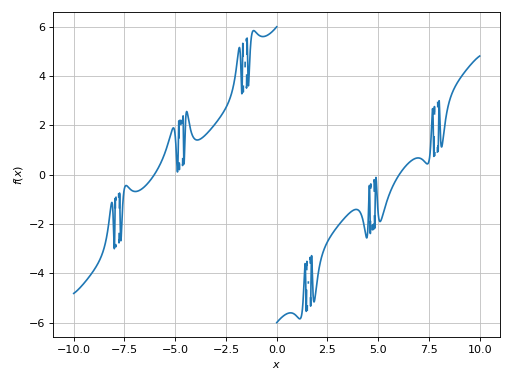
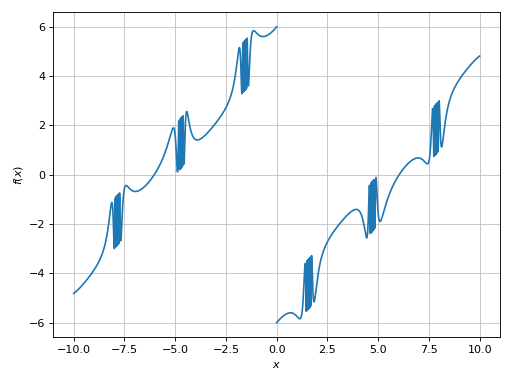
>>> expr = sign(x) * (sin(1 - 1 / cos(x)) + Abs(x) - 6)
>>> plot(expr)
Plot object containing:
[0]: cartesian line: (sin(1 - 1/cos(x)) + Abs(x) - 6)*sign(x) for x over (-10, 10)
(Source code, png)
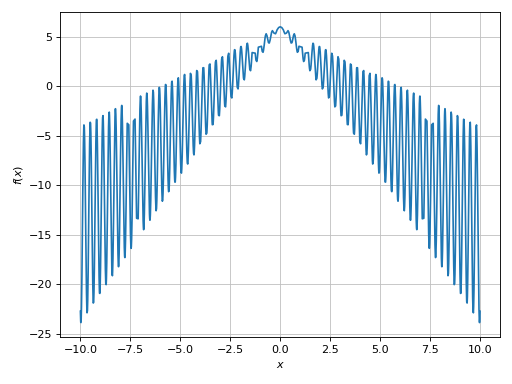
There are high frequencies regions that are poorly captured (the spikes don’t
look right), and there is the discontinuity caused by the sign function.
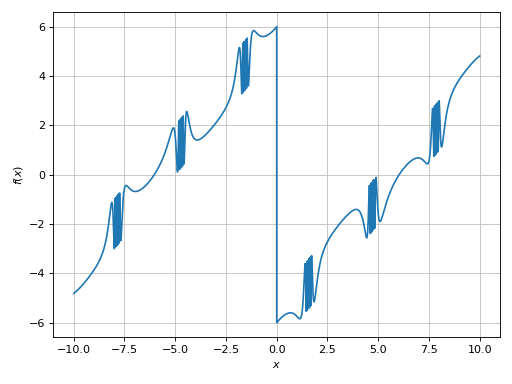
>>> plot(expr, n=1e04, exclude=[0])
Plot object containing:
[0]: cartesian line: (sin(1 - 1/cos(x)) + Abs(x) - 6)*sign(x) for x over (-10, 10)
(Source code, png)
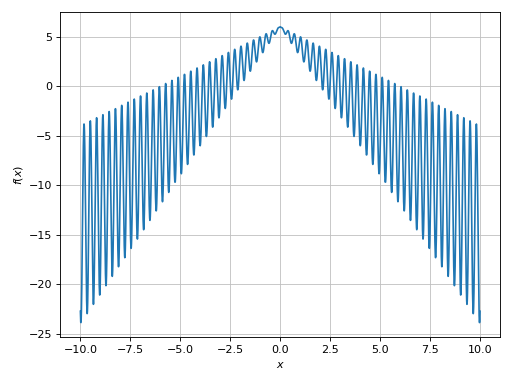
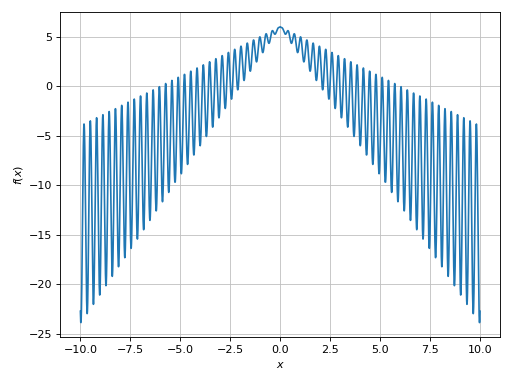
Now, the visualization looks correct. Let’s attempt to use the detect_poles
algorithm in order to understand some of its limitations.
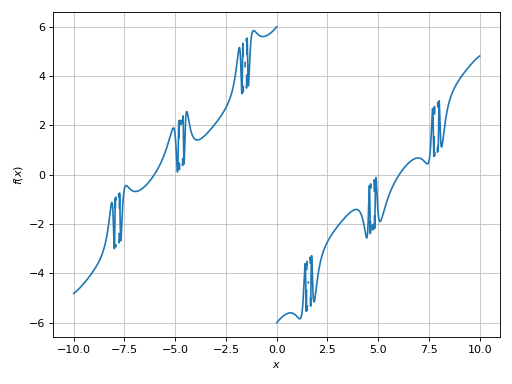
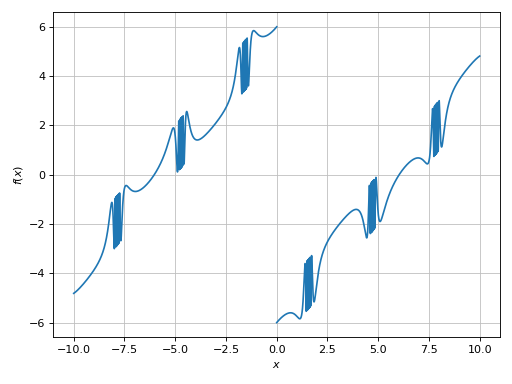
>>> plot(expr, n=1e04, detect_poles=True)
Plot object containing:
[0]: cartesian line: (sin(1 - 1/cos(x)) + Abs(x) - 6)*sign(x) for x over (-10, 10)
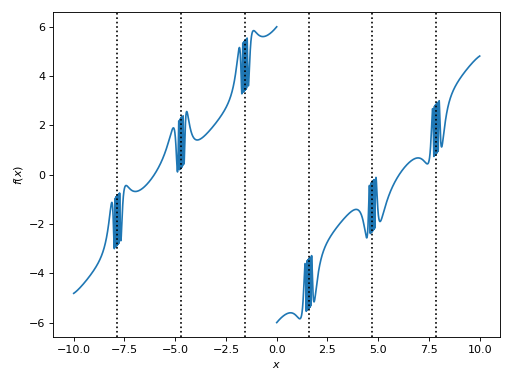
(Source code, png)
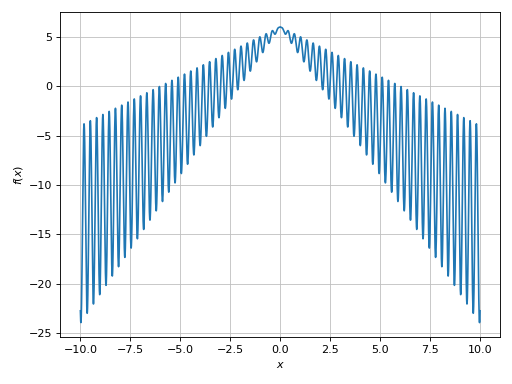
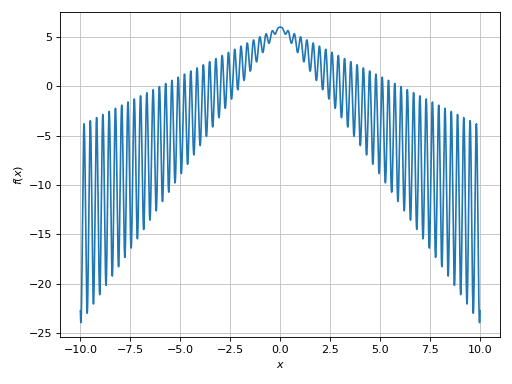
It worked, but it did too much: it has also disconnected the high frequency regions. We can try to get a better visualization by:
increasing the number of discretization points.
reducing the
epsparameter. The smaller this parameter, the higher the threshold used by the singularity detection algorithm.
This is going to take a few attempts:
>>> plot(expr, n=5e04, detect_poles=True, eps=1e-04)
Plot object containing:
[0]: cartesian line: (sin(1 - 1/cos(x)) + Abs(x) - 6)*sign(x) for x over (-10, 10)
(Source code, png)
Example - Discontinuities 4
>>> expr = sin(20 * x) + sign(sin(19.5 * x)) + x
>>> plot(expr, (x, -pi, pi))
Plot object containing:
[0]: cartesian line: x + sin(20*x) + sign(sin(19.5*x)) for x over (-pi, pi)
(Source code, png)
The expression contains a sign function, so there should be
discontinuities. So:
>>> plot(expr, (x, -pi, pi), detect_poles=True)
Plot object containing:
[0]: cartesian line: x + sin(20*x) + sign(sin(19.5*x)) for x over (-pi, pi)
(Source code, png)
Example - Discontinuities 5
Another function having many singularities:
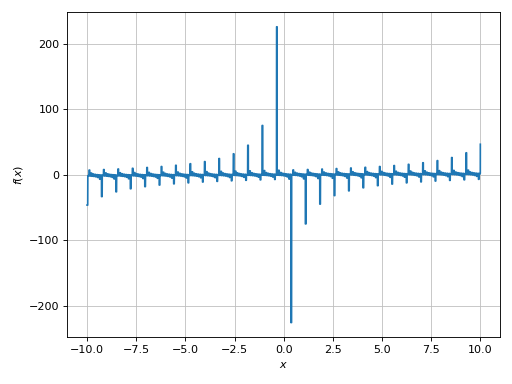
>>> expr = 1 / cos(10 * x) + 5 * sin(x)
>>> plot(expr, (x, 0, 2*pi))
Plot object containing:
[0]: cartesian line: 5*sin(x) + 1/cos(10*x) for x over (0, 2*pi)
(Source code, png)
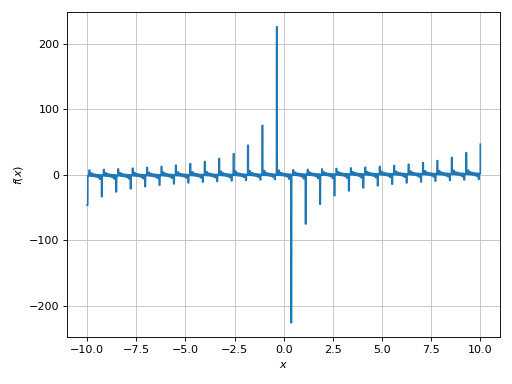
Again, a very big spread along the y-direction. We need to limit it:
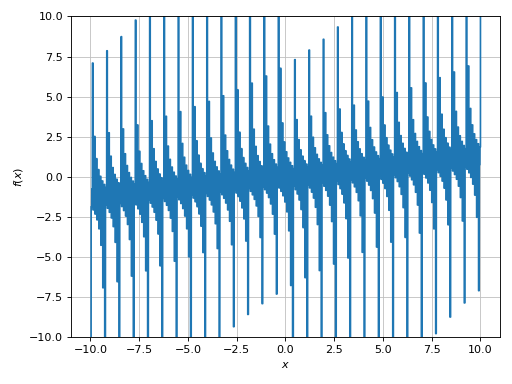
>>> plot(expr, (x, 0, 2*pi), ylim=(-10, 10))
Plot object containing:
[0]: cartesian line: 5*sin(x) + 1/cos(10*x) for x over (0, 2*pi)
(Source code, png)
The plot is clearly misleading. We can guess that it has a low-to-mid
frequency with respect to the plotting range. Also, by looking at the
expression there must be singularities. Let’s attempt to use the
detect_poles algorith based on the gradient of the numerical data:
>>> plot(expr, (x, 0, 2*pi), ylim=(-10, 10), n=1e04, detect_poles=True)
Plot object containing:
[0]: cartesian line: 5*sin(x) + 1/cos(10*x) for x over (0, 2*pi)
(Source code, png)
We know that there are singularities: the function should go to infinity as
it approaches them. We can improve the visualization even further by
reducing the eps parameter:
>>> plot(
...    expr, (x, 0, 2*pi), ylim=(-10, 10),
...    n=1e04, detect_poles=True, eps=5e-05, grid=False
... )
Plot object containing:
[0]: cartesian line: 5*sin(x) + 1/cos(10*x) for x over (0, 2*pi)
(Source code, png)
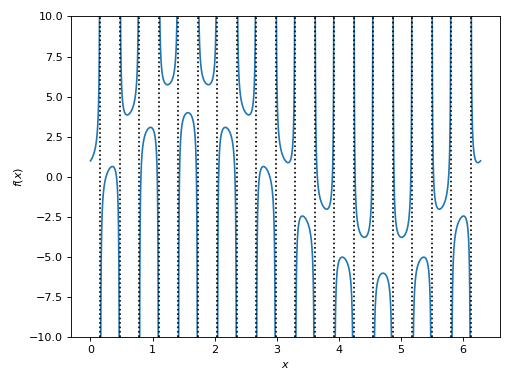
In this particular case, we can also use detect_poles="symbolic" because
the expression can easily be splitted into a numerator and denominator. Then,
the visualization will also show the vertical asymptotes:
>>> plot(
...    expr, (x, 0, 2*pi), ylim=(-10, 10),
...    n=1e04, detect_poles="symbolic", eps=5e-05, grid=False
... )
Plot object containing:
[0]: cartesian line: 5*sin(x) + 1/cos(10*x) for x over (0, 2*pi)
(Source code, png)
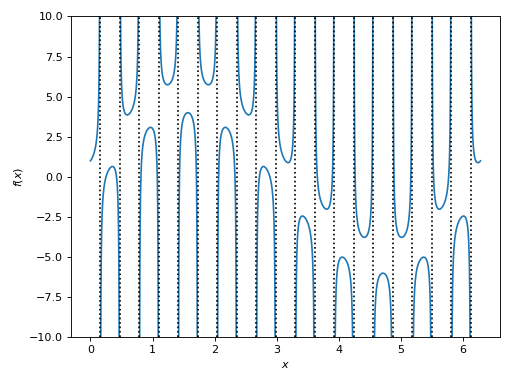
Alternatively, we can provide a list of exclusion points. The following example
executes solveset(cos(10 * x)), which returns a set solution. This set is
given to the exclude keyword argument, which will attempt to extract
suitable numerical solutions for the exclusion points:
>>> plot(
...    expr, (x, 0, 2*pi), ylim=(-10, 10),
...    exclude=solveset(cos(10 * x)), grid=False
... )
Plot object containing:
[0]: cartesian line: 5*sin(x) + 1/cos(10*x) for x over (0, 2*pi)
(Source code, png)
Example - Discontinuities 6
Let’s try to plot the Gamma function:
>>> expr = gamma(x)
>>> plot(expr, (x, -5, 5))
Plot object containing:
[0]: cartesian line: gamma(x) for x over (-5, 5)
(Source code, png)
A very big spread along the y-direction. We need to limit it:
>>> plot(expr, (x, -5, 5), ylim=(-5, 5))
Plot object containing:
[0]: cartesian line: gamma(x) for x over (-5, 5)
(Source code, png)
Here we can see a few discontinuities. Let’s enable the singularity detection algorithm:
>>> plot(expr, (x, -5, 5), ylim=(-5, 5), n=1e04, detect_poles=True, eps=1e-04)
Plot object containing:
[0]: cartesian line: gamma(x) for x over (-5, 5)
(Source code, png)